
Jekyll Blog Installation on Linux
What Jekyll ?
No more databases, comment moderation, or pesky updates to install—just your content.Markdown (or Textile), Liquid, HTML & CSS go in. Static sites come out ready for deployment Permalinks, categories, pages, posts, and custom layouts are all first-class citizens here.
We are opening our terminal
sudo apt-get install ruby ruby-dev make gcc
sudo apt-get install ruby ruby-full ruby-bundler
sudo gem install jekyll
jekyll -v »you can see your jekyll version this way Unless you have a problem with your transactions so far, now is the time to set up our blog
jekyll new blog
The main directory(home) will contain a folder named blog
cd blog
bundle install
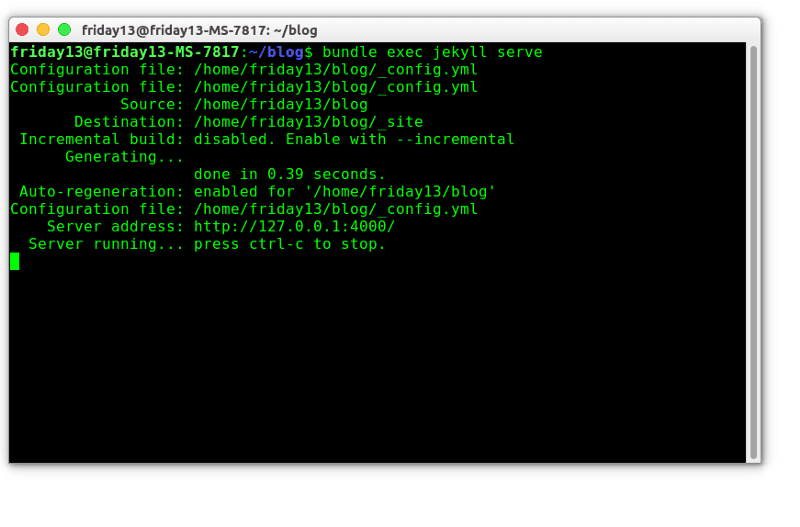
jekyll-server
If the Bash output looks like the picture, there is no problem »http://127.0.0.1:4000/ you can see your blog
- Now the logic here is that if I add a plugin, I will try the locale first and then send the repoma. The method I will explain below will be simpler, but it is worthwhile to examine the links I will give at the end of the course. If you learn as I do, you will understand the logic.
- Creating Very Simple Github Pagese Jekyll Setup
- You are logging into your Github membership.
- https://github.com/jekyll/jekyll We enter the Jekyll Github page and start the cloning process. A repo will be created under the name of jekyll.
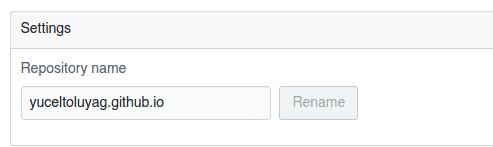
- click on the settings menu and change the repo to the address you want to name.
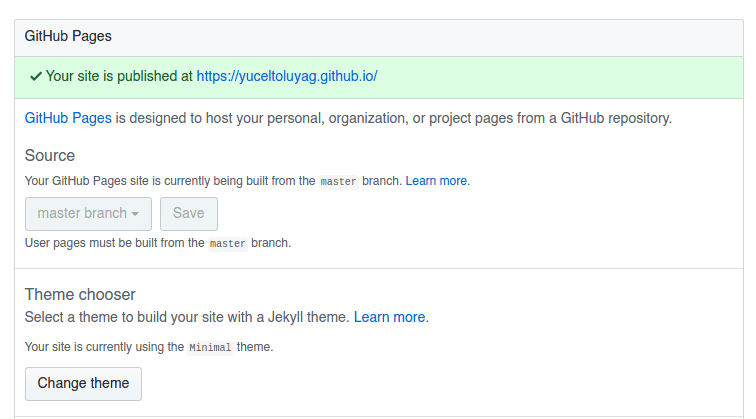
- There is a place in the settings section that shows the state of your most blog. If you want to confirm the recommendation quickly, select and save a random theme from the theme.
It might be strange that we wrote it in Markdown format. I do not need any of the sublime text plugins and when I learn to write Remarkable But markdown.
Leave Jekyll Blog Installation on Linux to:

Best Posts From Elon Tusk
We have not curated any of fatdog's posts yet. But you can encourage our curation team to review posts by visiting them regularly and by referring other readers. Because we give priority to frequently read content.
More Posts From Elon Tusk
- Linux Gamer Now Live
- Dj Tehlikeli Madde
- Dj Tehlikeli Madde
- Greatest Ubuntu Derivatives in 2018
- 5 Greatest GitHub Alternate options open source project
- Finest Laptops for Arch Linux
- Kali Linux can now be downloaded from Microsoft W10
- Set up Flatabulous Theme On Ubuntu And Derivatives
- Why I Love Arch Linux
- Jekyll Blog Installation on Linux