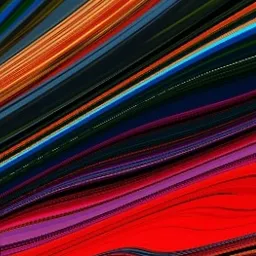
How to Create Imagined Maps and Psychedelic Marbled Art
Heya steemians. Tonight, or today depending on where you are, I'll share some of my photo hacking secrets.
Check these out:
I'm going to show you, step by step, the process for making those images ^^
So first of all, you're going to need an app called Mirror Lab. I have it on android and I hope it's available on iphones as well.
So step 0: Get that app. You need the pro version, it's a tiny investment and totally worth it if you'd like to create art on your phone or tablet.
Step 1: Head over to your favorite royalty free image site, or of course you can use your own photos. What we're looking for is a picture with lots of blue in it. That's gonna be the water in the images.
I chose that middle image. Go ahead and download one you like.
Step 2: Open it up in Mirror Lab. First thing you're gonna do is crop it to create a square, choose 1:1 and crop away.
Step 3: Once cropped, go into the concentric effect tab.
Choose "circle". This gives the image the topographical lines that make the final piece look like a map.
Click the checkmark and,
Step 4: Under the presets tab on the far left, the lil wand icon, there is a "marbled" option.
Mess with it by zooming in and out, find that sweet spot and click the checkmark.
Step 5: Go back into the presets tab,
find the effect called "vivid" towards the far right.
This creates a square cut out and ups the saturation a bit making the colors really vibrant.
Save the image and boom that's it.
Here's the process again for the 2nd image:
Step 1. Find an image with blue and download it.
Step 2: Crop into a square
Step 3. Apply concentric circle effect to create the topographical lines.
Step 4. Under presets tab, choose "marbled".
Step 5. Go back into the presets tab. Find the "vivid" effect
Click the checkmark, save the image and boom.
So there you have it, a simple process to create vibrant psychedelic map art. I hope you enjoyed it and if you create your own, drop them in the comments. I'll give you a 100% vote, I want to see what you can create.
That's it, for now.
Infinite Lovewaves Steemit :)
Leave How to Create Imagined Maps and Psychedelic Marbled Art to:

Best Posts From Soundwaves Photon
We have not curated any of soundwavesphoton's posts yet. But you can encourage our curation team to review posts by visiting them regularly and by referring other readers. Because we give priority to frequently read content.
More Posts From Soundwaves Photon
- WILD
- Releasing a Psycho Sugar Skull Collection on NFTshowroom.
- The Wild World of NFTs
- AMA MFS
- Yo dbuzz get some undervalued art: https://twitter.com/soundwavesphot ...
- I'm making my max payout 999 Hives. That's reasonable right? 😂 Post ...
- Honestly d.buzz has the potential to be the best social dapp on earth. ...
- I shilled d.buzz on twitter: https://twitter.com/soundwavesphotn/sta ...
- I'll be shilling my #nftshowroom art on here. Very inexpensive prices ...
- Hello buzzers. Why can't I upload pics? Size limits? Even small images ...